A small, tidy banner that marks your newest products on the storefront — a corner ribbon or a bar, with your own text, colours and rules.
For PrestaShop 8 and 9 (PHP 7.4 or newer). Free.
Get it
Get Just Arrived Banner — free — tell us where to send it and the download link arrives straight away.
Then: Modules → Module Manager → Upload a module, choose the zip, and click Configure. The README inside covers the rest.
What it does
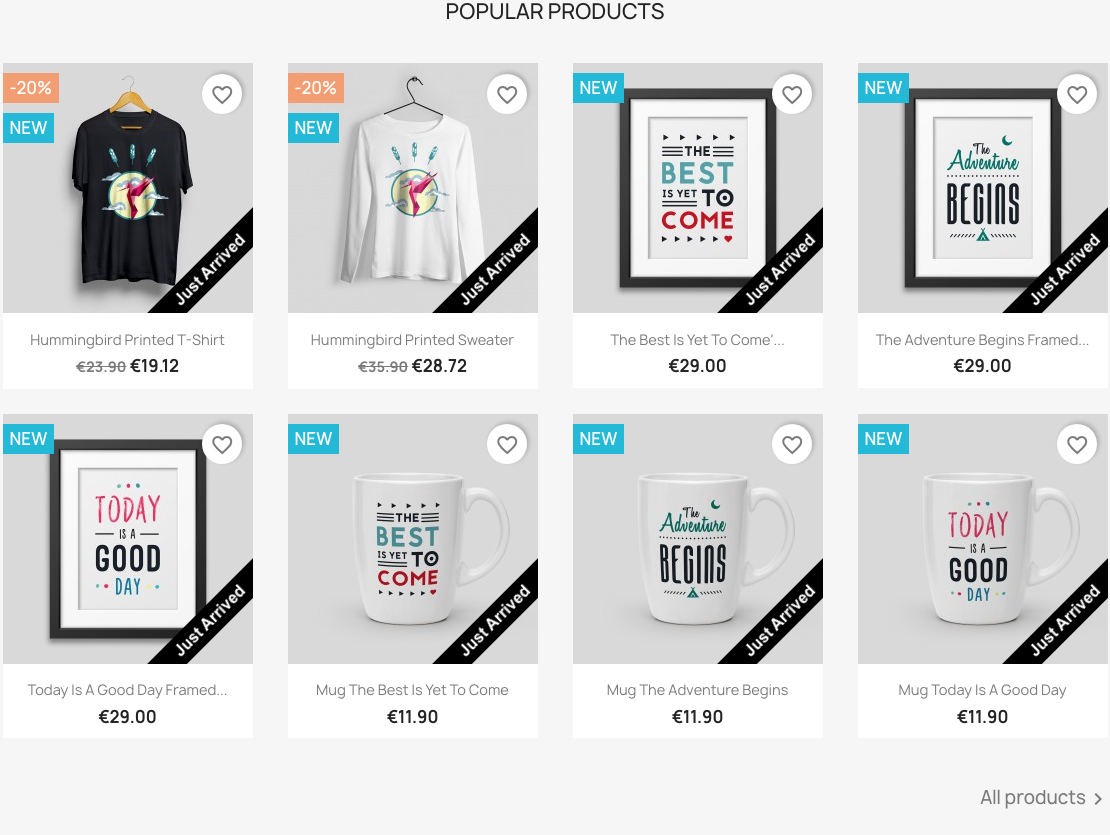
Products added within a window you choose get a banner on the product page and in product lists, so shoppers can see what is new without you tagging anything by hand.
- Corner ribbon or horizontal bar
- Your own text, colours, typeface and size
- A live preview in the back office that matches the storefront exactly
- Choose how many days count as "just arrived"
- No template edits — it works through standard hooks
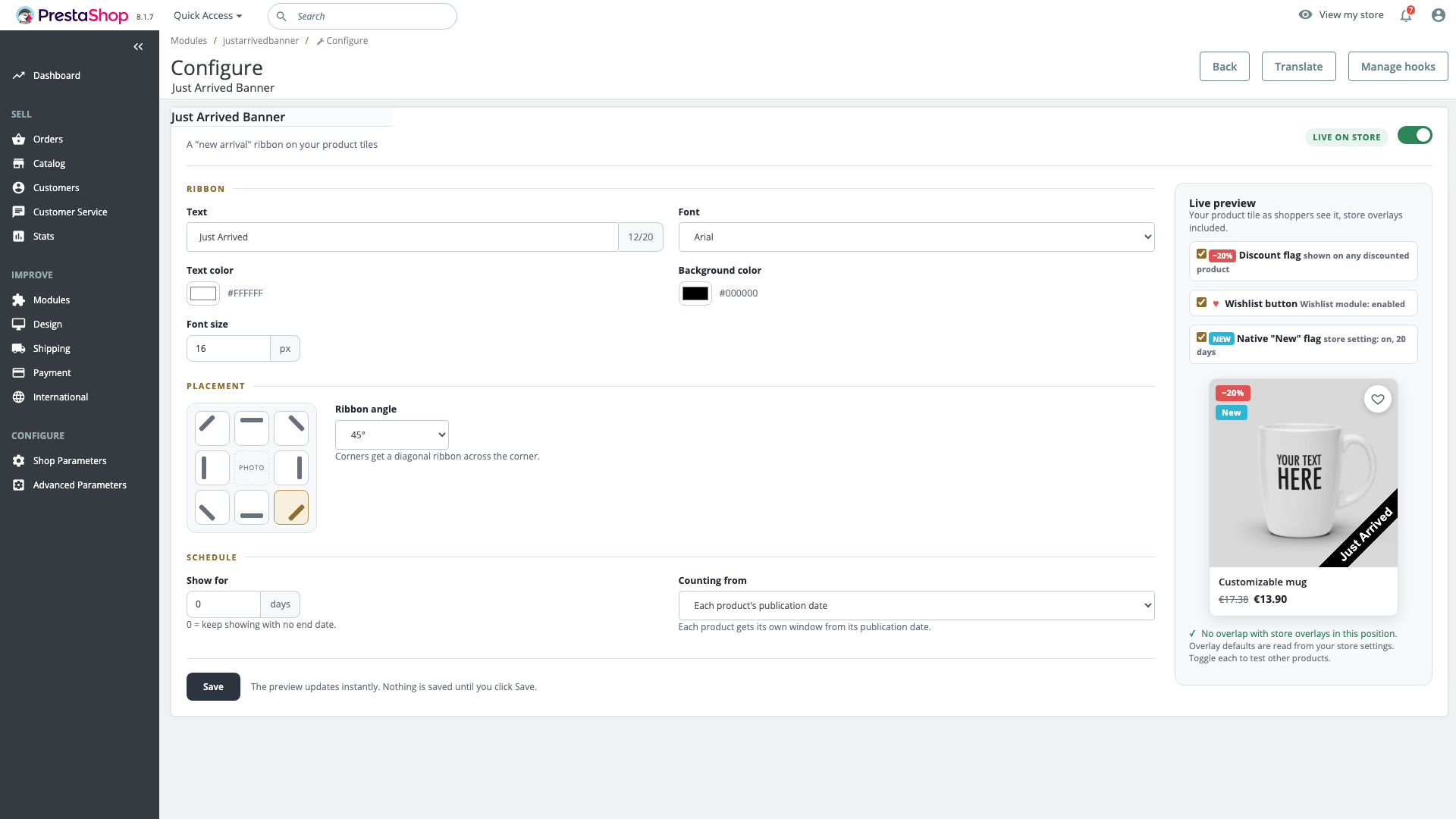
One screen, and it tells you what the storefront will do. The preview draws your own theme's overlays — the discount flag, the wishlist button, the native "New" flag — so you can see before saving whether the corner you picked collides with any of them.
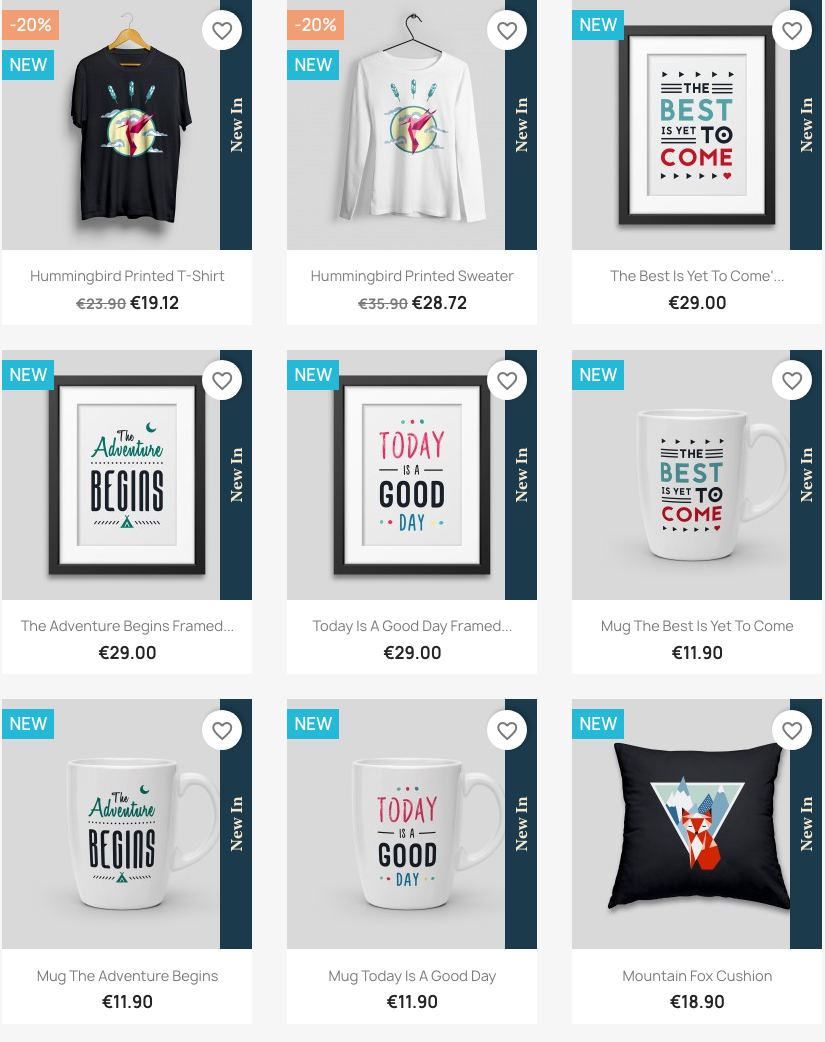
Nothing above is a preset. The banner can sit in any of eight positions — four corner ribbons, a bar across the top or bottom, or a vertical strip down either side — in your own colours, at your own size, in the typeface you choose. The frame above is the same module as the one further up.
Your shop stays yours
The banner uses the fonts already on your visitor's device — Arial, Georgia, Times New Roman, Verdana or Courier New. It loads no Google Fonts and no external files of any kind, makes no third-party requests and sets no cookies. Nothing about this module needs a line in your privacy policy or a consent banner.
Licence and support
Open source under the Academic Free License 3.0 — see the Licence Agreement. Free does not mean unsupported: questions go to info@boutiqueshop-modules.com and are acknowledged within 1 working day, exactly like a paid module.